
Microphone troubles

Rubix

Rookie
Joined
Dec 20, 2009
Messages
34
So I recently bought a new computer, and its great. It came with Windows 7 however, and a big problem occurred. My microphone doesn't work. Its this really old one, but it gets the job done:
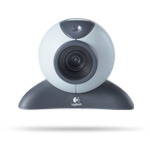
3458.1.0.gif


Does anyone know if I could somehow get it to work? I really don't want to spend more money on a new one.

 
Go to the Logitech website, and download the latest drivers for it. They might have new ones for Windows 7.

Moved to Tech help.
 
Last edited:
If the drivers aren't the problem, you might have to buy another microphone. If you do, i recommend turtle beach headsets, or microphone alone. :)
 
Well, since its an old microphone, I don't think the drivers are ever going to be updated. I guess I'll have to buy a new one >.<
 
I'd still check the website for vista or higher drivers.. most of vistas drivers work with win7
 
I had the same problem. Windows 7 has a weird little thing about it for microphones. Mines old as well, and this is what I did:

1. Go to Control Panel

2. Sound

3. Hit the "recording" tab

4. On your Microphone, Right click and select: Set as default Communication Device.

That should make it work. Made mine work like brand new :).
 
I had the same problem. Windows 7 has a weird little thing about it for microphones. Mines old as well, and this is what I did:

1. Go to Control Panel

2. Sound

3. Hit the "recording" tab

4. On your Microphone, Right click and select: Set as default Communication Device.

That should make it work. Made mine work like brand new :).

I can't do that T_T

Windows 7 detects the microphone, but it says it needs troubleshooting. It then tries to find compatible drivers, and there are none. In the sound section in control panel, it doesn't even show up there.
 

Latest posts

Back
Top