Laptop for college

chili dude96

EGO Zealot
Joined
Jan 6, 2010
Messages
1,452
Laptop for college See page 3

Budget changed to $1200.

Hello all.

So for the past 4 years all of my knowledge has been in building desktops and now I have found myself a bit uninformed when it comes to today's laptops and could use your help.

Basically I need a 14 to 16" laptop for college that is lightweight and portable with good battery life. I just need it to do web browsing, video viewing, and document editing. Being able to handle minor games such as DOD:S would be nice. However, I do not want any sort of gaming laptop. They are big, heavy, and power-hungry. I think the type of laptop I want is sometimes called an ultrabook?

I have a budget of $700 to $1100 but my biggest issue is I really don't know how much I actually have to spend to get the type of computer I want. Some people have suggested I could go lower than $700. I don't want to cheap out and get something that crashes all the time. I want a smooth computing experience.

Thanks so much for your help! Any recommendations are appreciated.
 
Last edited:
I prefer Lenovo as my work-brand laptop. The Y510p will give you decent battery life, a pretty good GPU for gaming, and a big enough screen for use at school, work, and for entertainment (youtube and movies).

Ultrabooks are very expensive (that slim factor...) But you can score one for about $1000-1100, if not cheaper. Again, Macbook Airs are not the only ultrabooks on the market. Lenovo, Dell, HP, etc., all have a model or two that would qualify as an ultrabook. However, I feel sometimes that slim profile and long battery negates a good GPU for gaming (but that's not always true). Take a look at all the manufacturer's websites and see which ones you like the most. Other people will most likely give you suggestions of what brand/model would be good for you to consider as well.
 
I prefer Lenovo as my work-brand laptop. The Y510p will give you decent battery life, a pretty good GPU for gaming, and a big enough screen for use at school, work, and for entertainment (youtube and movies).

Ultrabooks are very expensive (that slim factor...) But you can score one for about $1000-1100, if not cheaper. Again, Macbook Airs are not the only ultrabooks on the market. Lenovo, Dell, HP, etc., all have a model or two that would qualify as an ultrabook. However, I feel sometimes that slim profile and long battery negates a good GPU for gaming (but that's not always true). Take a look at all the manufacturer's websites and see which ones you like the most. Other people will most likely give you suggestions of what brand/model would be good for you to consider as well.

Lol, took my words right out of my mouth. Alternativerly you can go for a
Sager NP7358

Screen size wise I would suggest going 15.6 anything bigger is too much inconvenience.
 
Last edited:
Get the 13 inch MacBook Air with education discount. Break free from Windows and the relentless hellscape of low quality trackpads, mediocre battery life, driver problems, and low quality plastic kitsch that plagues Windows laptops.

  1. They have a deal where you get a $100 mac app store gift card if you buy one with an education discount
  2. You're looking at expensive ultrabooks anyway
  3. Don't settle for some weird bizarre hybrid drive soup-- get real flash storage
  4. Free OS upgrades that don't involve some bizarre interface designed only for tablets
  5. Unmatched battery life (it literally lasts twelve hours)
  6. You can play DOD- the graphics card is slightly better than most comparable Windows ultrabooks

Here's a full length article written by a professional that tells you why you should get it. It's titled "The Best Laptop". Yes.
 
Last edited:
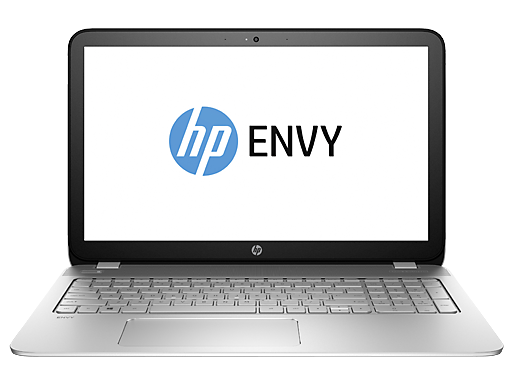
Give this a shot you might even be able to put in some student discount on it: You can't go wrong with an i7 and Nvidia graphics on board.
http://www.shopping.hp.com/en_US/ho...B71AV?HP-ENVY-15t-Slim-Quad-Laptop-Best-Value

c04373856.png

$849.99
Operating system ???

Windows 8.1 64

Processor

4th generation Intel? Core™ i7-4712HQ Quad Core Processor +4GB NVIDIA GeForce GTX 850M Graphics

Memory

8GB DDR3L System Memory (1 Dimm)

Memory Slots

2 user-accessible

Hard drive ?

750GB 5400 rpm Hard Drive

Optical drive

No Internal DVD or CD Drive

Network interface

Integrated 10/100/1000 Gigabit Ethernet LAN

Wireless technologies

802.11b/g/n WLAN [1x1]

Power supply

120 W AC power adapter

Battery

6-cell 47WHr Lithium-ion Battery

Battery Life †††

Up to 5 hours and 30 minutes

Ports

2 USB 3.0 (1 HP USB Boost); 2 USB 2.0; 1 HDMI; 1 RJ-45; 1 headphone/microphone combo

Expansion Slots

1 multi-format SD media card reader

Energy Efficiency Compliance

ENERGY STAR? qualified; EPEAT? Silver

External Specs
Back to the top
Display

15.6-inch diagonal Full HD WLED-backlit Display (1920x1080)

Keyboard

Full-size backlit

HP Control Zone with multi-touch gesture support

Dimensions (W x D x H)

14.94 x 9.87 x 1.1 in

Weight

5.07 lb

Entertainment specs
Back to the top
Webcam

HP TrueVision HD Webcam (front-facing) with integrated digital microphone

Audio

Beats Audio™ with 2 speakers and 1 subwoofer
 
Last edited:
Give this a shot you might even be able to put in some student discount on it: You can't go wrong with an i7 and Nvidia graphics on board.

The link doesn't work for me, but according to the specs:

You can go wrong with i7 and Nvidia graphics because they're going to suck up more battery than low-power processors. The rated battery life of that notebook is less than 1/2 the rated battery life of the MacBook Air. The HD 5000 on the MacBook Air is better than most PC integrated graphics (they often stay in the 4000 range) and is completely capable of playing "minor games such as DOD:S". Also, you're going to want an SSD.

The trackpads on the HP ENVY line are terrible (especially the clicking mechanism). I realized this when I went laptop shopping earlier this year. Some of their other laptops can have decent trackpads, you just have to play around with them in person. If you want a PC with a good trackpad, I've had good experience with Samsung.

This study states that 25.6% of all HP laptops malfunction within the first 3 years.

4g5QMmz.png

Otherwise a good deal.
 
Last edited:
While it is true that the i7 and Nvidia will eat your battery to probably less than an hour....these type of laptops have the option to limit the amount of power you want to use and you can easily power manage with profiles so that you're not using everything at full power. Rest assured you'll have the flexibility to go full power for the more demanding games (though I recommend being plugged in anyways if you're doing this) or tone it down and get the full 5hrs they say it can do for just typing up reports etc, lol even play DoDs since it isn't too intensive.

Trackpad wise... I really cant say much..I don't use mine I have my G500 mouse and carry a smaller mouse in my backpack for other stuff if I am on the go, unless i know I'll be gaming. I don't like the trackpads in general as my first laptop was an IBM and it had a Trackpoint in the keyboard. basically a red dot between "g" and" h" keys that acted as a mouse and I could never get used to the pad.

For the price the hardware is pretty good. The SSD you could probably spend more money on and upgrade it before checkout, but not really necessary imo. You'll want storage space and still be able to afford the laptop.

The laptop sushi is recommending, you'll get all day computing and I'm sure apple being apple the support probably will be an easier time... but you'll be paying more just on the brand name that is Apple alone. The processor is a step below the i7 soo it will still have the power to do things for you, the Intel HD5000 will be fine for playing most games on med to low. DoDs is more than fine on it. The price though... you can get better hardware and a lot more storage albeit the lack of a Solid State Drive. I Think you have enough to decide and make your decision at this point and it comes down to preference and price.

On a separate note... I never look at the manufacturers. The specs what matters and that there is warranty support for it with extension options. Most malfunctions also happen because the laptop is not taken care of, if you let for example dust go for awhile and the insides get dust bunnies... your laptop will over heat and there goes the MOBO. Also please whatever you get....buy the extended warranty x.x you'll not regret having it.

It basically comes down to iOS or PC and you happen to get me and Sushi lol... I will forever hate apple for overcharging just because they are apple and can get away with it with their fancy styled products.
 
Last edited:
Still doesnt make sense to get an i7 and high end Nvidia graphics chip on a nearly high end laptop when all he said he will be doing is playing mediocre games such as DOD:S. Source games and ones like them are not super demanding in the graphics or processing department. I could run all source games on maxed settings with a 9500GT back in the day.

You dont need top of the line performance to get something that... "performs?" for you scenario.
 
A couple of things:

1. I should have mentioned that Macs are terrible computers with very high price tags due to the brand name. I hate them.

2. Sushi's laptop malfunction rate chart is interesting because it is totally opposite of my experience. I find toshiba and sony to be terrible and while everyone loves Asus I have had a lot of bad luck with them. I agree with HP being bad and same with gateway. I also think that Dell has really upped its game in the last 5 years and their laptops are very nice.

3. I should also mention that being able to run DOD:S is more of a minimum rather than a goal. Of course I would like the ability to run better games but I'm not expecting BF3 on ultra. I just don't want the heavy, power hungry, performance aspect of a gaming laptop to take precedent over the lightweight, battery life I want. I have to be able to carry it around with me all day.

4. Its super late at night and I will post here tomorrow with some more thoughts on possible laptops.

Thanks and keep the suggestions coming!
 
Last edited:
Just a small caveat on Sushi's study/survey: it was prepared in 2009, which is ages ago in the world of laptops.

As someone who supports 200+ HP laptops at work, it's never been anywhere close to 25% malfunction, and that's including the 2 most common malfunctions: batteries and power adapters.

From what I've seen from college students bringing their laptops into my office over the years is: there aren't really any "better" brands these days. They're all about the same in hardware reliability. The only possible exception is Apple, but I've noticed when they do die, they DIE.
 
1. I should have mentioned that Macs are terrible computers with very high price tags due to the brand name. I hate them.

That's not true. It's easy to say that buying the MacBook Air will cost more than the most similar Windows-based equivalent, but more difficult when you look at the specs. As you stated, "I have found myself a bit uninformed when it comes to today's laptops". I would never buy a Mac desktop when I could just build myself a hackintosh, but laptops are different. Look at this comparison between these two comparable "lightweight" laptops in Dell and Apple's line with manufacturer pricing:

Note: I am not choosing Dell because they necessarily make for an easy comparison, but because you stated that they have "stepped up their game". Although Dell provides lower-end laptops, this laptop compares most to the MacBook Air because of how it uses low-power components and is designed to be extremely portable, therefore being perfect for a college student.


XPS 13 (no education discount available) vs MacBook Air 13 (education discount)

N0P0lbP.png

Could the 1080p display on the XPS 13 be a negative? Windows doesn't properly handle scaling DPI on high resolution displays, including in its own menus and icons. The only thing that scales well on 1080p is Metro. With a 1080p display on a 13" computer, you will be stuck with terribly scaling GUI elements or insanely tiny GUI elements.
 
Last edited:
Sushi, where did you get the comparison picture for the XPS and Mac? Something you put together or taken from a website? When it says Crapware on the preinstall list, it already makes me suspect that the reviewer is biased to Apple. Not saying it's not true, but calling it crapware is a sign of bias instead of trying to remain "professional" or at least, neutral sounding.

In addition, depending on what you're doing in school, a Mac may not be a good laptop for some students. As an Accountant, you are much better off getting a Windows laptop as your computer will most likely run Windows and MS Excel runs differently than on Apple. Again, there's just some other factors to consider.
 
Sushi, where did you get the comparison picture for the XPS and Mac? Something you put together or taken from a website? When it says Crapware on the preinstall list, it already makes me suspect that the reviewer is biased to Apple. Not saying it's not true, but calling it crapware is a sign of bias instead of trying to remain "professional" or at least, neutral sounding.

In addition, depending on what you're doing in school, a Mac may not be a good laptop for some students. As an Accountant, you are much better off getting a Windows laptop as your computer will most likely run Windows and MS Excel runs differently than on Apple. Again, there's just some other factors to consider.

You're right. Yes, it is very biased, which is bad because I'm trying to stay objective. I see where your point is coming from so I removed "crapware" and unbolded the Mac side since pre-installed software is pretty subjective.

Microsoft makes a MS Office suite for Macs that aims to maintain complete compatibility with the Windows suite, so that shouldn't be a big issue.

Snipeye makes a good point that your focus in college should shape your choice of computer. However, this has more to do with the computer science field than it does with accounting or art. You may have heard someone say "Macs are for art students". This couldn't be further from the truth. The most popular art and photography softwares are cross-platform and will run just as well on Windows as on Mac OS (Lightroom, Photoshop, and Illustrator). There are a few Mac exclusives like Aperture that see professional use, but none without a good Windows equivalent (Lightroom).

The exception is if you're a video student- Final Cut Studio is a Mac-exclusive standard that could be part of curriculum.

If you're a computer science student, it really depends on what you want to do. If you want to write apps for iOS, you obviously have to get a Mac. If you want to write Windows Phone apps, Windows is the only option. Although you can dual boot on the MacBook, you will have to acquire a Windows license which has the potential to be costly. If you want to write in scripting languages like Python or Ruby, Mac OS is better because of its greater compatibility with native extensions that can be compiled with gcc or clang.
 
Last edited:
Ok I really am not going to buy a mac. I am majoring in Biochemistry and a lot of science programs aren't coded for macs and I just do not like macs.

I also don't want to start another mac v pc war on this thread so lets just leave it that macs are off the table.
 
Last edited:
Microsoft makes a MS Office suite for Macs that aims to maintain complete compatibility with the Windows suite, so that shouldn't be a big issue.

It does. VERY MUCH. Some offices/businesses have compatibility issues with it, and the functionality between two do differ, not significantly or on a large scale, but enough to be noticeable. This isn't my word; it's coming from coworkers who do like to use Macs, but they end up not using it for work because of problems with it.

Anyways, I have a preference for Lenovo as I find them reliable, and a good bang for the buck. I still wouldn't recommend HP to anyone, though Dell's are now on my list of manufacturers I would recommend. MSI, Asus, Acer, it all depends on the models though ASUS and MSI has better reliability than Acer on average (to me at least). I would have bought a new Lenovo except I really want to get a 17 inch laptop, which Lenovo doesn't make (all of theirs are 15.6")
 
Last edited:
It does. VERY MUCH. Some offices/businesses have compatibility issues with it, and the functionality between two do differ, not significantly or on a large scale, but enough to be noticeable. This isn't my word; it's coming from coworkers who do like to use Macs, but they end up not using it for work because of problems with it.

Anyways, I have a preference for Lenovo as I find them reliable, and a good bang for the buck. I still wouldn't recommend HP to anyone, though Dell's are now on my list of manufacturers I would recommend. MSI, Asus, Acer, it all depends on the models though ASUS and MSI has better reliability than Acer on average (to me at least). I would have bought a new Lenovo except I really want to get a 17 inch laptop, which Lenovo doesn't make (all of theirs are 15.6")

Yes I also don't like HP find that Asus and MSI are better than Acer. Although as I said I am hesitant to purchase an asus because of my personal bad experience with them.

Tomorrow I'm going to drop by my local microcenter and get some hands-on with the laptops.

At this point I am leaning towards a 15.6 but that 14 lenovo is a great deal(I mean $10 more for the next model with 16 more gigs of ssd!). Is there a coupon code out there that makes the Y510p or the Y50 as good of a deal as the Y410p?
 
Last edited:
I'm not in a position to argue anything in this thread... I just wanted to say that was one of the most professional debates I've seen in a long time.
 

Latest posts

Back
Top