Teamspeak Slows Down other Applications
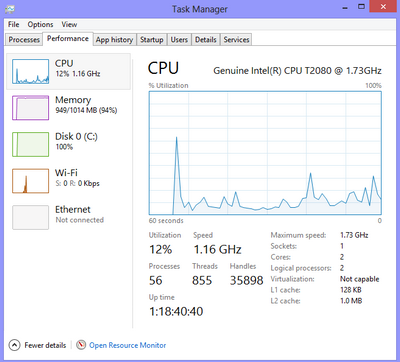
On a new laptop, and am encountering an issue that I haven't been able to find an answer for. This happens when I'm playing music or videos on Windows Media Player, but when I have TS on, the video/music slows to a crawl, and from what I can tell, TS is acting as the primary program, even though I want it to just run in the background in conjunction with others.
Any ideas of what settings I need to adjust?
Under Settings -> Options -> Application, I got only the following checked:
-Reconnect servers when system resumes a standby
-Use middle mouse button shorcuts in tree
-Warn when talking while microphone is muted
I also changed the application to run in administrator mode, but this hasn't fixed the issue at all. I am on WINDOWS 10.
On a new laptop, and am encountering an issue that I haven't been able to find an answer for. This happens when I'm playing music or videos on Windows Media Player, but when I have TS on, the video/music slows to a crawl, and from what I can tell, TS is acting as the primary program, even though I want it to just run in the background in conjunction with others.
Any ideas of what settings I need to adjust?
Under Settings -> Options -> Application, I got only the following checked:
-Reconnect servers when system resumes a standby
-Use middle mouse button shorcuts in tree
-Warn when talking while microphone is muted
I also changed the application to run in administrator mode, but this hasn't fixed the issue at all. I am on WINDOWS 10.
Last edited: