Urgrent help

Solved...

Turned Computer on > Spam F8 > Safe Mode with Command Prompt > Explorer > Ran Malwarebytes From USB
 
Protip: If a virusususus "locks you out" of your computer, safe-mode is the way to go.
 
Protip: Type msconfig in your search bar (Windows 7/Vista) or in Run (Windows XP). Go to the Boot tab. Select Safe Mode. Reboot in Safe Mode without spamming a key.
 
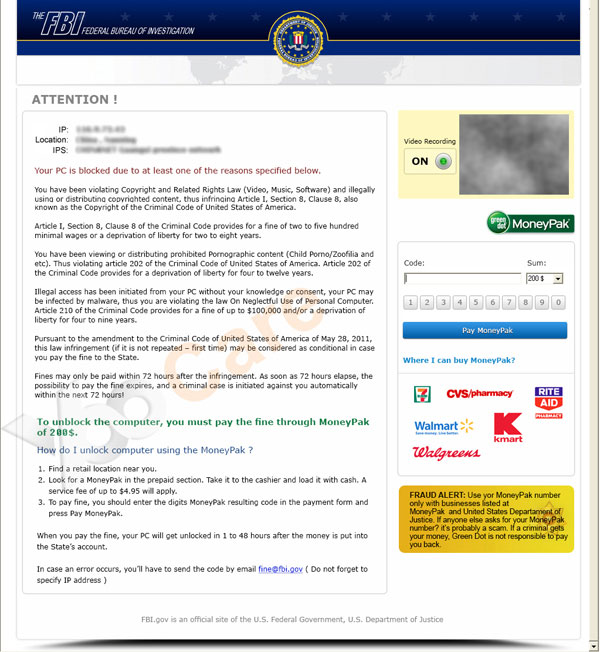
FBI-moneypak-virus-asks-for-200-to-unlock-your-computer.jpg


Canda-Police-Cybercrime-Investigation-Department-Virus.png


See the similarities? I'm going to guess it's from the same group. Time to get a sample of this virus!
 
Last edited:
Where is this virus? Anyone have a sample or a way to contract it?
I'd really like to dissect it, ransomware makes me lol.

1. Boot up a VM in it's own network.
2. Google search "FBI Ransom Virus"
3. Click everything until you get it.
 
Why would you run DBAN? I use that to wipe hard drives...


Run these programs.
1. Hitman Pro
2. Malware Bytes
3. Spybot Search and Destroy

If that doesn't work:
4. Avira Antivirus
5. Super AntiSpyware
 
Due to different progressions (variations) of the Police Cybercrime Investigation Department ransomware virus, different steps for infected users are necessary.

Whilst some infected computer users can access the internet(Or safe mode, or task manager, or Windows Explorer, etc), other may not be able to and will require a separate removal process.

!!!Whatever the case is, do not give your money to this fraudulent organization!!!


We will help you restore your PC. What steps have you currently taken?
 
Last edited:
Why would you run DBAN? I use that to wipe hard drives...

DBAN is like a giant magnet for Hard drives or a nuke. It wipes the thing so it's brand new. If DBAN doesn't work, than the nice little virus made it's way to your motherboard, and if so it might be a worm, you can't get rid of worms you usually end up buying a whole new motherboard.
 

Latest posts

Back
Top