PC Wont Start But Fans Are Spinning

Conor

EGO Zealot
=(eGO)=
Joined
Aug 24, 2012
Messages
1,610
So I woke up on Christmas Day nd after presents I went to go on my pc only to discover that the fans were spinning but there was no picture or any lights on my keyboard and mouse were not shunning. I was on the pc on Christmas Eve with no problems. Then yesterday it turned n when I forgot to turn it off and was working fine, then before I went to bed I turned it off then it turned on ok. Then this morning I went to turn it on but it wouldn't start.

Think it might Br the PSU which it a 450W.

Any ideas?
 
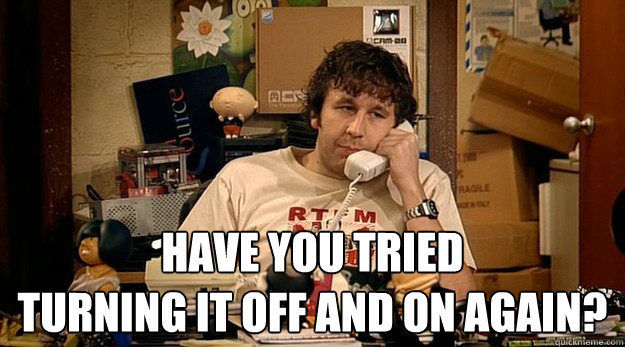
aside from this humor :
off.jpg


Check the cables and make sure everything is in order. Other than that hopefully its nothing serious
 
When you turn it on, any beeps or lights coming from inside the PC? Open it up and boot it up, you should see some status lights giving you signals whether or not certain parts turned on.

How old is your PC; is it prebuilt or done by you (or someone else?) If the fans are spinning, I'm reluctant to point it to the PSU right off the bat. I'm focused more on the motherboard until you get back on the beeps/lights question.

Also, if the case fans are spinning, is the CPU and GPU fan spinning as well?
 
snipe for some reason some of the computers and motherboards do not come with a mobo speaker
 
Yeah, but when most PSUs go they go. Meaning that if the fans power up it might be an indication that it's not the PSU. My first thought was to check the motherboard as well. If there's not a speaker on it hopefully there'd be indicator lights. My suspicion is that there might be some damage around the I/O panel. That's a guess though.

Are the hard drives spinning up?
 
When I read the title I was like, "Oh boy." I have a gut-sickening feeling that it's the motherboard perhaps. To be honest, it could be anything. Just keep trying to plugin & play test everything until you can come to a conclusion. Hopefully you still have a warranty.
 
When I read the title I was like, "Oh boy." I have a gut-sickening feeling that it's the motherboard perhaps. To be honest, it could be anything. Just keep trying to plugin & play test everything until you can come to a conclusion. Hopefully you still have a warranty.

Yeah, but when most PSUs go they go. Meaning that if the fans power up it might be an indication that it's not the PSU. My first thought was to check the motherboard as well. If there's not a speaker on it hopefully there'd be indicator lights. My suspicion is that there might be some damage around the I/O panel. That's a guess though.

Are the hard drives spinning up?

So it looks like all three of us had the same thought: Oh Lord. The mobo died...
Second thought for me: PSU surged and fried the mobo...
 
There is a fan which is attached to the mother board which is spinning but I saw no lights.
 
theres a few questions before i presume anything that id like to know.


1 Does the pc make any noises besides the fans ie a beep or a slight clicking noise.

2 Do you have a hard drive light if so is it flashing or working?

3 As others asked do all fans seem to run including videocard.

4 what motherboard do you have or pc model if its a name brand ( Need this to test more options outside of the first 3 questions.

5 Try unseating and resetting memory hd and videocard. I know you said you checked the chords but make sure these things are firmly seated because all 3 can cause that symptom if not.

6 Do you have a spare video card while its unlikely this given the little info so far are we 100% sure the video card didn't die and that the pc is turning on? *this is extremely unlikely but some older boards wont load if this is the case while extremely unlikely i still make sure its not with out knowing the board model:)*


Also if your pc your currently using can log into vent i should be on all day may be a bit easier to work with someone directly to troubleshoot if you have time im usually around the opx ps2 rooms.

*also for those asking yes i saw the keyboard mouse part however that does not 100% mean the board yet with out knowing these answers:)*
 
Last edited:
So it looks like all three of us had the same thought: Oh Lord. The mobo died...
Second thought for me: PSU surged and fried the mobo...

Yeah, it truly sounds like a MOBO issue.
 
Well guys my local tech repair shop opened today and it looks like the problem wasn't the motherboard or PSU simply dust on the RAM. Thank you all for your help!
 
Last edited:
Well guys my local tech repair hop opened today and it looks like the problem wasn't the motherboard or PSU simply dust on the RAM. Thank you all for your help!

/facepalm
 
Well guys my local tech repair hop opened today and it looks like the problem wasn't the motherboard or PSU simply dust on the RAM. Thank you all for your help!

That... is way too funny. Glad the problem is fixed tho ;D
 
I've had this same issue twice. It was my motherboard (got a refund on it) and stuck with my 970FX board
 
I have the same issue.... I might need to check my memory now o.o
 

Latest posts

Back
Top