


- Joined
- Feb 14, 2009
- Messages
- 12,920
Hello,
So recently I upgraded my RAM to 16 gigs from 8 gigs. However, Windows 10 will not let me use all my RAM, only half of it. In the past, I had this issue and I would disable the onboard video card and this would fix it. The onboard was under the north bridge in BIOS. This time, I'm having an issue with locating it. Below is a picture of my resource monitor I dubbed "what in the ****"

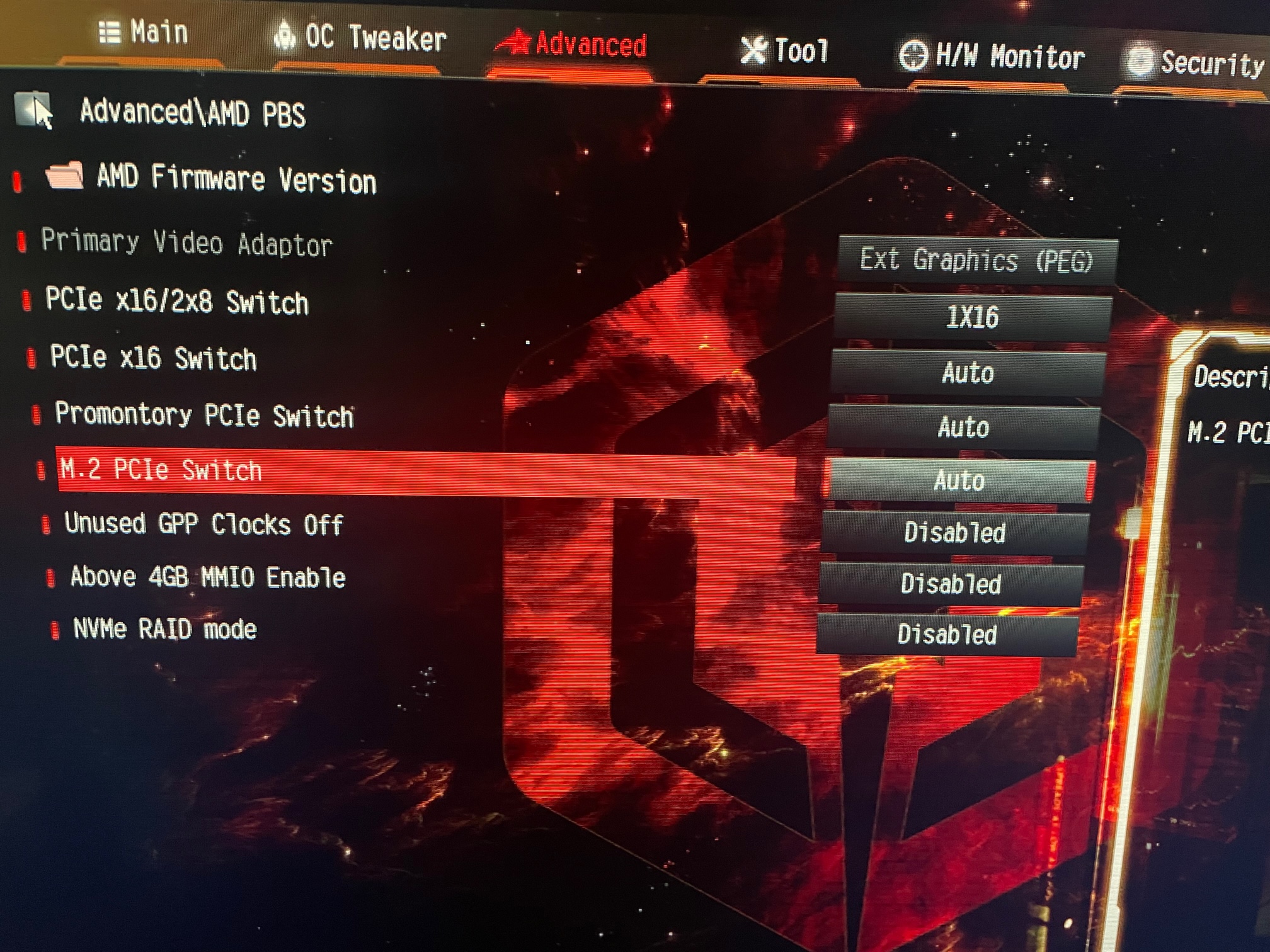
I have tried the common Google responses, but nothing is working. I've read the manual for my motherboard, which can be found here. The closest I can see from my end for the onboard graphics is greyed out in my BIOS, under primary video adapter, which can be seen below.
Does anyone have any other ideas? Something is reserving half my RAM, and I can't figure out what it is and it's bothering me. My next step is to use memtest86, but that takes forever and I'm not suspecting any RAM issues.
So recently I upgraded my RAM to 16 gigs from 8 gigs. However, Windows 10 will not let me use all my RAM, only half of it. In the past, I had this issue and I would disable the onboard video card and this would fix it. The onboard was under the north bridge in BIOS. This time, I'm having an issue with locating it. Below is a picture of my resource monitor I dubbed "what in the ****"
I have tried the common Google responses, but nothing is working. I've read the manual for my motherboard, which can be found here. The closest I can see from my end for the onboard graphics is greyed out in my BIOS, under primary video adapter, which can be seen below.
Does anyone have any other ideas? Something is reserving half my RAM, and I can't figure out what it is and it's bothering me. My next step is to use memtest86, but that takes forever and I'm not suspecting any RAM issues.










