
Counter-Strike CS:S - Client authorization failed

Euphoric

EGO Zealot
=(eGO)=
Joined
Nov 1, 2008
Messages
1,464
What is the scope of your bug report?
CS:S

Short description of the bug
Client authorization failed

Detailed description of the bug
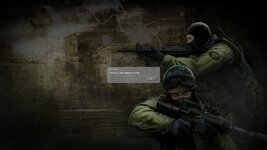
After connecting to the server and picking a team, I am kicked and given that message. I also noticed my tags aren't there.
The server was also nearly empty last night for a little while. Is it because of this?

Attachments
File(s) attached
 

Attachments
  • 240_258.jpg
    240_258.jpg
    251.1 KB · Views: 88
Last edited:
I Had the same last night and I gave up trying yo play.
 
I ran into the same issue with the CS:S server today.
 
I had this error last night.
Have you tried restarting your pc? That seemed to fix it for me.
 
This can happen either as a result of a server issue (us), a client issue (you), or a Steam blip (neither).

If it's happening to a lot of people, it's often us (create a thread here or contact us on Discord so that we can look into it). Otherwise, check the (unofficial) Steam Status page to see if there's an outage or blip in Steam's connection manager -- if so, wait until that's over (this often happens on Tuesday evenings).

Lastly, if it seems to only be you, the simplest solution that works most of the time is to fully exit Steam (locate the tray icon -> right click -> Exit Steam), then start it back up again and relaunch CS:S -- usually this will fix it. Otherwise, it can be any number of issues (try verifying game files as a secondary measure).
 
This can happen either as a result of a server issue (us), a client issue (you), or a Steam blip (neither).

If it's happening to a lot of people, it's often us (create a thread here or contact us on Discord so that we can look into it). Otherwise, check the (unofficial) Steam Status page to see if there's an outage or blip in Steam's connection manager -- if so, wait until that's over (this often happens on Tuesday evenings).

Lastly, if it seems to only be you, the simplest solution that works most of the time is to fully exit Steam (locate the tray icon -> right click -> Exit Steam), then start it back up again and relaunch CS:S -- usually this will fix it. Otherwise, it can be any number of issues (try verifying game files as a secondary measure).

I verified the integrity of the game files last night and when I tried to re join it didn't work.

Westy... Westy... reached out on the discord though and camthegeek camthegeek was able to get on and restart the server. That seemed to fix the issue last night. It seems this is a problem that persists though, given the server was nearly empty two nights ago, needed a restart last night, and also the response from Shark Shark today.
 
Back
Top
