Mouse Problems

Toasteddude

Forum Fanatic
Joined
Mar 7, 2008
Messages
995
I have just bought a Logitech G5 (2 days ago). I have been using it without a problem up until today. I was playing Team Fortress when suddenly, I found myself unable to move the mouse. I quit the game using the keyboard and the mouse would still not work. The buttons work, but I am unable to move the pointer. Here is what I have tried so far:

Tried Plugging into alternate USB port
Rebooted Computer
Tried device on second system
I tried my backup mouse on both systems and it works.
Updated Drivers, Then rebooted again
Tried the Logitech Tech Support suggestions

Nothing has solved my problem. If anyone has any suggestions, I'd like to hear them. At this point I think that the device is defective.

Thanks in Advance.
 
sounds like the laser (or the camera) isn't working correctly. i would try it on a different surface, but most likely you need to RMA it (especially since it's so new).
 
The mouse buttons work, but it's not moving the pointer?

If you lift up the mouse, can you see the laser shining? Make sure there isn't anything gunking up the optics.

It sounds like either the optics have failed or some component that processes the optics. RMA it and get another, every production batch will have duds.
 
I don't the laser on this mouse ever "shines" even when it is working. I have checked the optics and there is no obstruction. I won't have a problem exchanging it but I was hoping there was another way.
 
On a side note: Has anyone else experienced trouble with this mouse. I want to make sure it was the right buy.
 
I love Logitech products in general, but that's a personal preference. I use the Revolution and love it! I've heard really good things about the G5, but I've never used it
 
I have a G7 and it does freeze sometimes. Make you you update the software for the mouse. SOme mice allows you to reset them. And you cannot see the lasers on these mice, their frequency is not in the visible spectrum. RMA it is your best choice i think. I am about to change my G7 for a G5 or a 518.
 
Ok, I've exchanged it for a new one and it seems to be working for now. Let's hope it stays that way. Thanks for the help!
 
[quote1212710694=Frank Booth]
I have a G7 and it does freeze sometimes. Make you you update the software for the mouse. SOme mice allows you to reset them. And you cannot see the lasers on these mice, their frequency is not in the visible spectrum. RMA it is your best choice i think. I am about to change my G7 for a G5 or a 518.
[/quote1212710694]

But what do you shine in your eyes when you're bored?
 
[quote1212731143=Lafinass]
[quote1212710694=Frank Booth]
I have a G7 and it does freeze sometimes. Make you you update the software for the mouse. SOme mice allows you to reset them. And you cannot see the lasers on these mice, their frequency is not in the visible spectrum. RMA it is your best choice i think. I am about to change my G7 for a G5 or a 518.
[/quote1212710694]

But what do you shine in your eyes when you're bored?
[/quote1212731143]

It will still damage your eye but you just do not see it. I am not sure what frequency its at, must be bellow 340 nanometers to get the high resolution. Here you go

[link=hyperlink url]http://laserpointer.net/catalog/products/red-laser-pointers/on-off-switch-standard-red-laser-pointer.html&zenid=a1643578d1a69e5bd8425366dc92592e[/link]

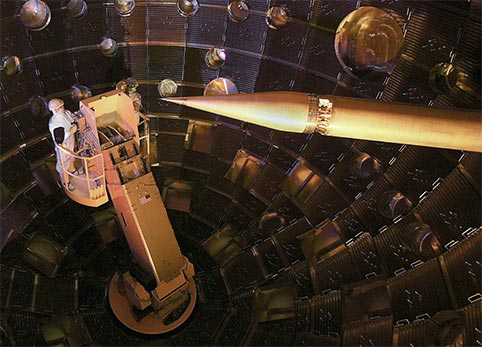
Or try this, maybe your head will begin to fusion and you can make a killing on the energy it produces.

tarpos_technicians.jpg


[link=hyperlink url]http://en.wikipedia.org/wiki/National_Ignition_Facility[/link]
 
[quote1212731143=Lafinass]
[quote1212710694=Frank Booth]
I have a G7 and it does freeze sometimes. Make you you update the software for the mouse. SOme mice allows you to reset them. And you cannot see the lasers on these mice, their frequency is not in the visible spectrum. RMA it is your best choice i think. I am about to change my G7 for a G5 or a 518.
[/quote1212710694]

But what do you shine in your eyes when you're bored?
[/quote1212731143]

It will still damage your eye but you just do not see it. I am not sure what frequency its at, must be bellow 340 nanometers to get the high resolution. Here you go

[link=hyperlink url]http://laserpointer.net/catalog/products/red-laser-pointers/on-off-switch-standard-red-laser-pointer.html&zenid=a1643578d1a69e5bd8425366dc92592e[/link]

Or try this, maybe your head will begin to fusion and you can make a killing on the energy it produces.

tarpos_technicians.jpg


[link=hyperlink url]http://en.wikipedia.org/wiki/National_Ignition_Facility[/link]
 
Sounds like you got it working, out of curiosity did you install the logitech's latest drivers? I would also like to note windows uses direct input to determine the movement of the mouse, if you were running any programs other than TF2 that use DirectX it may have caused problems, but it shouldn't have :P
 
Sounds like you got it working, out of curiosity did you install the logitech's latest drivers? I would also like to note windows uses direct input to determine the movement of the mouse, if you were running any programs other than TF2 that use DirectX it may have caused problems, but it shouldn't have :P
 

Latest posts

Back
Top